

Viewing Big-Time Crashing when changing Fonts
Big-Time Crashing when changing Fonts
|
User: Christopher 13 years ago
|
|
|
I've already notified Paul of this and sent him a recorded screen movie, but I'm just curious if anyone else is having this problem. I downloaded some Google Fonts yesterday (not that that has anything to do with my problem, or does it?) and now when I try to change a Font in a text box, it crashes - almost every friggin' time! At first I thought it was because I was mixing fonts in the same text box. So I tried in another box, just changing fonts up one at a time. After a few successful attempts - crash. Doesn't matter whether it's a Google font, a web font, or otherwise. The send feedback form doesn't even work. That crashes too. This has been happening both after updating to the latest Beta and installing new fonts yesterday. Out of curiosity, I went to repair permissions, but there was nothing to repair. Anyone else having this problem? Chris ------------------------------- rMBP 15", 2.6 Ghz, 16 GB RAM, OS X 10.11.6, with 27" Thunderbolt Cinema Display www.cleetche.com |
|

|
User: Paul-RAGESW 13 years ago
|
|
|
Can you try opening the Font Panel in another application such as TextEdit and changing fonts to see if that works. Maybe you messed something up on your computer.
------------------------------- Paul EverWeb Developer |
|

|
User: Christopher 13 years ago
|
|
|
Yep, just tested in TextEdit like you suggested and no problems whatsoever. Mixing fonts, changing colours, whatever - Google Fonts and otherwise. Also in Photoshop Elements. I don't think it's my computer. Chris ------------------------------- rMBP 15", 2.6 Ghz, 16 GB RAM, OS X 10.11.6, with 27" Thunderbolt Cinema Display www.cleetche.com |
|
|
User: Paul-RAGESW 13 years ago
|
|
|
This is most likely happening because you uninstalled the fonts while they were in use in EasyWeb. Did you uninstall any fonts?
------------------------------- Paul EverWeb Developer |
|
|
User: Guest 13 years ago
|
|
|
I had my first crash last night when trying some of my installed fonts in the nav bar. I was testing to see what would happen if I moved away from the web-safe category into something obscure, going down the list alphabetically. I crashed at Bubbledot. I didn't save the crash report, but I can do so in the future. |
|
| Edit | |
|
User: Paul-RAGESW 13 years ago
|
|
|
Please always send the crash report to us.
------------------------------- Paul EverWeb Developer |
|
|
User: Guest 13 years ago
|
|
| OK. Here it is ... | |
 EasyWeb_2013-07-06-025344_cher.crash.zip |
|
| Edit | |
|
User: Roddy 13 years ago
|
|
|
Crash reports can be found in the user library in the Home folder. If you are running OS X 10.7/10.8, open the Finder Go drop down menu and hold down the Option key then click "Library". The crash reports are in Logs/DiagnosticReports so the full path is ... ~Library/Logs/CrashReports A crash report will look like this... 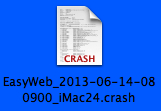 Double click it to open and check the time and date to select the latest one. You can zip it by selecting it and then selecting Compress in the Finder File menu so that you can attach it to an email. ------------------------------- Roddy Website: http://everwebwidgets.com Contact: http://everwebwidgets.com/ewWidgets-home/contact.html NOTE: I am an EverWeb user and NOT affiliated with EverWeb! Any opinions expressed in this forum are my own. |
|

|
User: Paul-RAGESW 13 years ago
|
|
|
This crash indicates it has something to do with the spell checker, not changing fonts. Did you open the spell checker?
------------------------------- Paul EverWeb Developer |
|
|
User: Guest 13 years ago
|
|
| Actually, now that I think about it -- it was in fact changing my words as I typed. "Page" became "Rage," for instance, and I made a mental note to find the spell checker and turn it off. I also didn't save this file because I was just experimenting. Now, I do save constantly. | |
| Edit | |
|
User: Christopher 13 years ago
|
|
|
So an update. To answer your question Paul, no I did not uninstall any fonts. And on 2 pages, I continue to have the problem every single time without exception. All I have to do is select text in a box, then click on a Font. Boom. Crash. But interestingly enough, the same did not happen for me when I tried changing fonts in my navi bar. So then I tried my other pages. No problems there either. So I've resorted to recreating the corrupt pages from scratch, afraid even to copy and paste text in there! So far, no problems, I'm able to change fonts, colours, sizes, etc. without crashing. But something is definitely eschew with 2 of my pages... It's like Gremlins are living there. And I will soon be trashing them. Chris ------------------------------- rMBP 15", 2.6 Ghz, 16 GB RAM, OS X 10.11.6, with 27" Thunderbolt Cinema Display www.cleetche.com |
|
|
User: Paul-RAGESW 13 years ago
|
|
|
There is a fix for this on the next beta if it is the same bug I was able to reproduce. It will only happen with text boxes.
------------------------------- Paul EverWeb Developer |
|
|
User: Christopher 13 years ago
|
|
|
Good to know.
------------------------------- rMBP 15", 2.6 Ghz, 16 GB RAM, OS X 10.11.6, with 27" Thunderbolt Cinema Display www.cleetche.com |
|
|
User: Paul-RAGESW 13 years ago
|
|
|
Hi, Were you able to test your site with Beta 17 to see if it worked OK without crashing? I would like to confirm that this bug has been fixed. ------------------------------- Paul EverWeb Developer |
|
|
User: Christopher 13 years ago
|
|
|
[quote="admin":20y5hzvg]Hi, Were you able to test your site with Beta 17 to see if it worked OK without crashing? I would like to confirm that this bug has been fixed.[/quote:20y5hzvg] Yes, I went back to my corrupted page and was able to change the text now without crashing using the new beta. Good work! Chris ------------------------------- rMBP 15", 2.6 Ghz, 16 GB RAM, OS X 10.11.6, with 27" Thunderbolt Cinema Display www.cleetche.com |
|
| Post Reply |
| You must login or signup to post. |