

Links disappearing - Forum
This discussion started in December 2020. EverWeb has changed a lot since then, so some answers may no longer apply.
These current help articles may help:
Find up-to-date answers in the EverWeb help articles. Still stuck? Start a new thread or contact support.
Links disappearing
|
User: Peter B. 5 years ago
|
|
|
I am in the process of transferring my website from iWeb to Everweb. I am following the tutorial for making buttons and they look just like the ones I had in iWeb. I made the links and they work fine. The problem is that when I preview the site in Safari or Chrome, the linked text disappears. It reappears when I roll the mouse over it. How do I make the link text show up in the browser? |
|
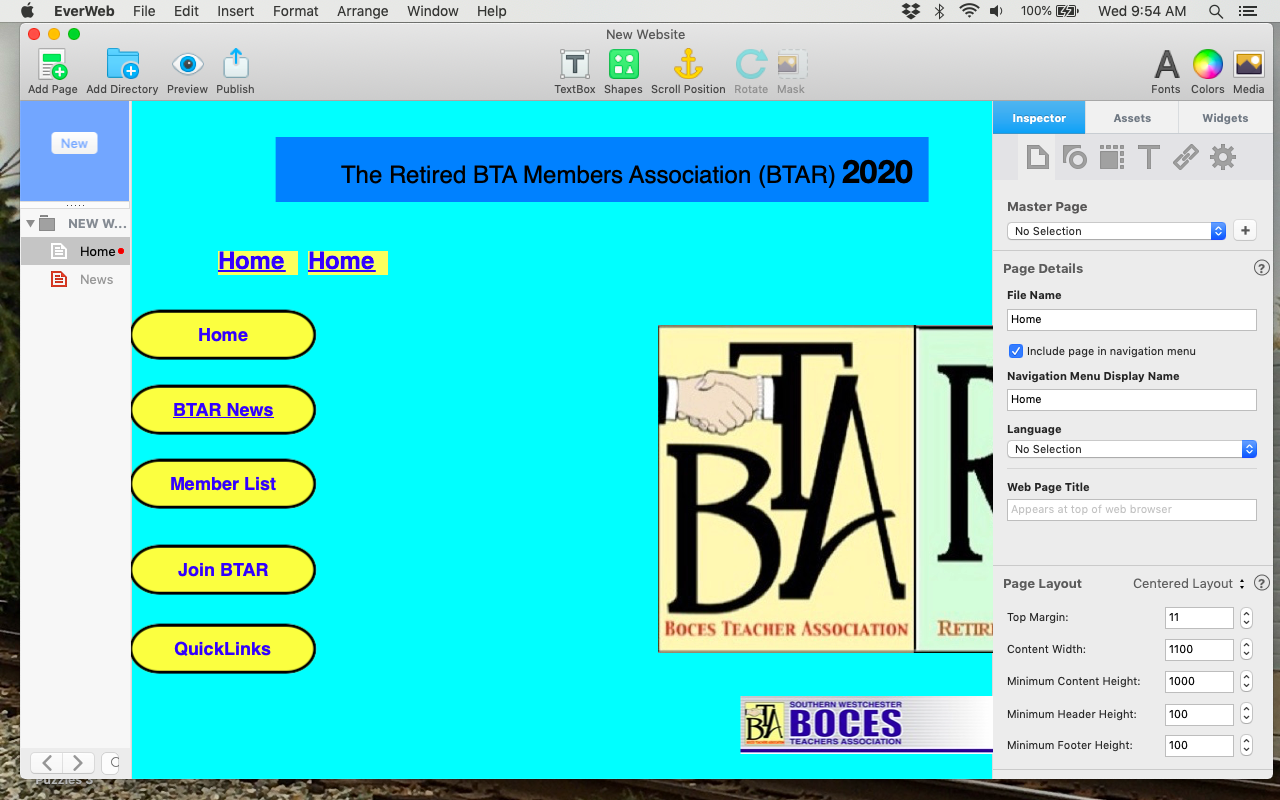 Screen Shot 2020-12-09 at 9.54.23 AM.png page in Chrome 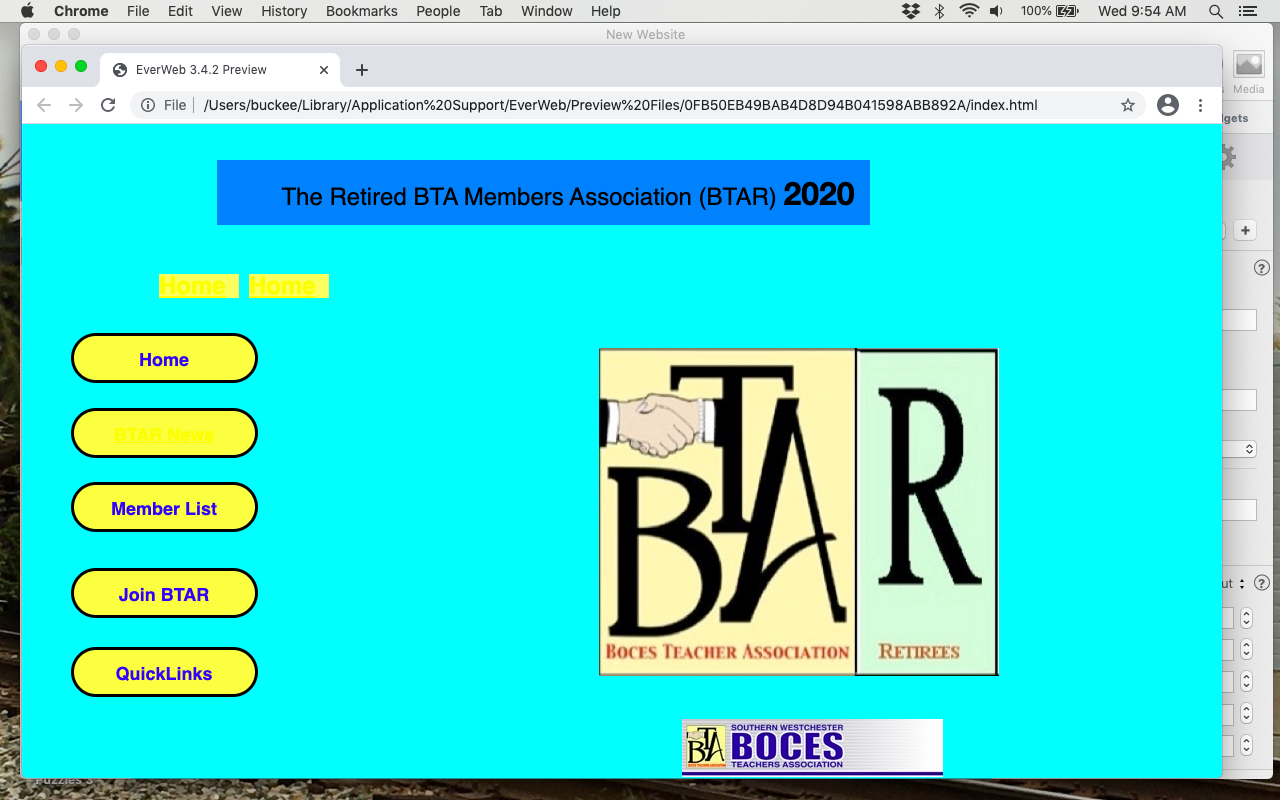 Screen Shot 2020-12-09 at 9.54.37 AM.png |
|
|
User: EverWeb Support 5 years ago
|
|
|
Hi Peter, It seems that we will need to get your project file to see what's going on exactly. Please create a support ticket, and one of our agents will provide you with necessary assistance. ------------------------------- EverWeb Customer Support Submit Tickets or Learn More |
|
|
User: EverWeb Support 5 years ago
|
|
|
Hi Peter, Most likely, you have set the visited link color to the same one used for the shape underneath the text. Please select the text of your button, go to Hyperlinks tab, and set the colors to the desired ones there. Last edit 5 years ago ------------------------------- EverWeb Customer Support Submit Tickets or Learn More |
|
|
User: Peter B. 5 years ago
|
|
| How simple and clever! That did ti. Thank you for your timely reply. | |
| Post Reply |
| You must login or signup to post. |