

Changing the link colours on blog index - Forum
This discussion started in April 2020. EverWeb has changed a lot since then, so some answers may no longer apply.
These current help articles may help:
Find up-to-date answers in the EverWeb help articles. Still stuck? Start a new thread or contact support.
Changing the link colours on blog index
|
User: Mark D. 6 years ago
|
|
|
Hi. How do I change the link colours on the blog index page so they are not the super bright blue, red etc for the normal/rollover/visited. I've altered all of the settings to Black (normal) dark grey (rollover) and light grey for visited. But the index page is always the bright colours. Any advice? |
|
 Index links.png bright colours 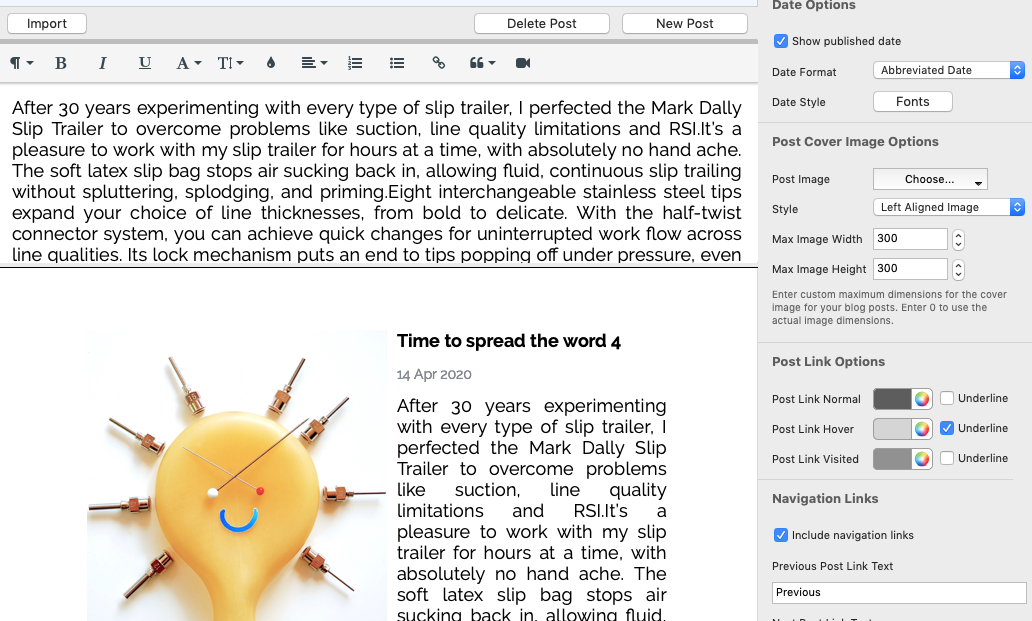 link colours.png |
|

|
User: EverWeb Support 6 years ago
|
|
|
Hi Mark, Thank you for reaching us! You can change the Colors on the Blog Index Page by double-clicking the text - > Inspector Tab - > Hyperlinks Settings - > Change Color under Hyperlink Formatting(Normal/Rollover/Visited) Should you have any further questions or need assistance, please don't hesitate to contact us. Best Regards, Saleh EverWeb Support Team ------------------------------- EverWeb Customer Support Submit Tickets or Learn More |
|

| Post Reply |
| You must login or signup to post. |