

Viewing Crash on publish to folder
Crash on publish to folder
|
User: Guest 13 years ago
|
|
|
EasyWeb is crashing when I export to folder. Worked fine with Beta 23. I'm unable to fill out the form to submit the crash report. The only thing I can do is click OK on the error and then it quits. As far as I can tell, the export completed, and it crashed finishing the export. I've tried multiple times with the same result. |
|
 Screen Shot 2013-09-07 at 9.52.06 PM.jpg |
|
| Edit | |
|
User: Guest 13 years ago
|
|
| Same problem encountered by me. | |
 Screen Shot 2013-09-08 at 10.32.15.png  Screen Shot 2013-09-08 at 10.32.18.png |
|
| Edit | |
|
User: grahamwright 13 years ago
|
|
| I have the same problem. Any solution? | |
|
User: Roddy 13 years ago
|
|
|
Crash reports can be found in the User library in the Home folder. If you are running OS X 10.7/10.8, open the Finder Go drop down menu and hold down the Option key then click "Library". The crash reports are in Logs/DiagnosticReports so the full path is ... ~Library/Logs/CrashReports A crash report will look like this... 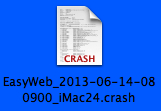 Double click it to open and check the time and date to select the latest one. You can zip it by selecting it and then selecting Compress in the Finder File menu so that you can attach it to an email. ------------------------------- Roddy Website: http://everwebwidgets.com Contact: http://everwebwidgets.com/ewWidgets-home/contact.html NOTE: I am an EverWeb user and NOT affiliated with EverWeb! Any opinions expressed in this forum are my own. |
|

|
User: Paul-RAGESW 13 years ago
|
|
|
Quote: EasyWeb is crashing when I export to folder. Delete the version you have and re-download from here to fix this; viewtopic.php?f=3...t=1186 Quote: Crash reports can be found in the User library in the Home folder. Since these aren't crash reports from the OS, they won't be in the Library Folder. These are crash reports from the software. ------------------------------- Paul EverWeb Developer |
|

| Post Reply |
| You must login or signup to post. |